Trailing commas are one of the most frequent causes of JSON parse errors, and they are also one of the most frustrating. I have personally run into this issue multiple times while sending API requests, deploying configuration files, and importing JSON into databases. Everything looked correct in the editor, yet the system failed with vague errors. The root cause was almost always the same. A single trailing comma.
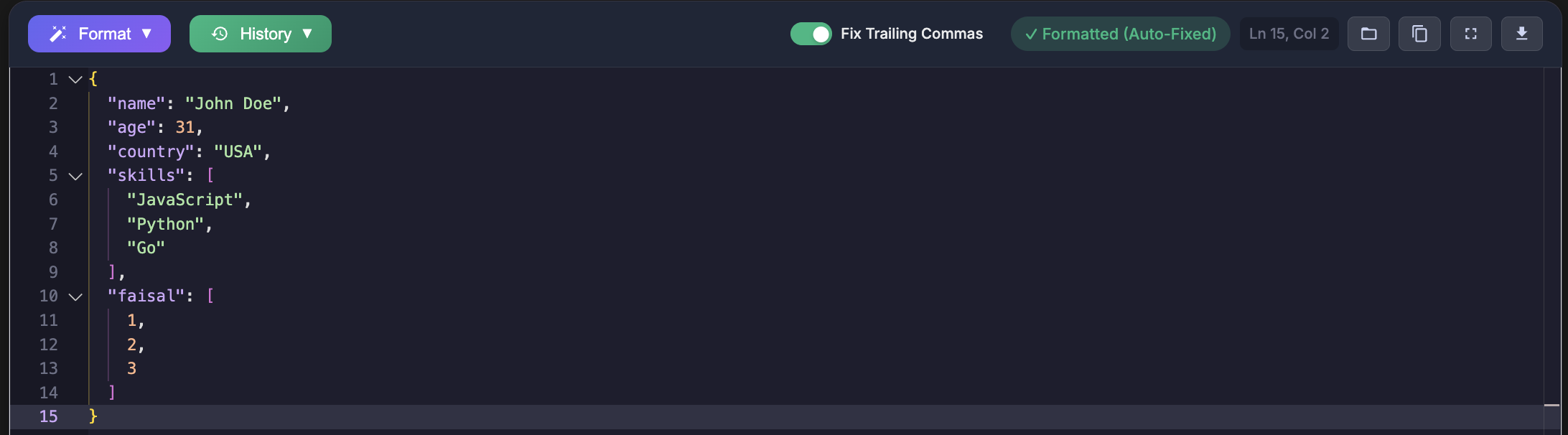
The confusion happens because JavaScript and many programming languages allow trailing commas, while JSON does not. This article explains what trailing commas are, why JSON rejects them according to official standards, and how I learned to identify and fix these errors reliably in real projects.
What Is a Trailing Comma
A trailing comma is a comma that appears after the last element in an array or the final property in an object. Developers often add it unintentionally when editing lists or copying data from JavaScript code.
{
  "name": "John",
  "age": 30,
}

[
  "apple",
  "banana",
  "orange",
]
I have faced this exact issue when quickly removing or rearranging values. The editor did not flag it, but the JSON parser rejected it immediately.
Why JSON Does Not Allow Trailing Commas
JSON is a strict data interchange format. According to RFC 8259, commas are separators and must only appear between elements. A comma after the last element makes the grammar invalid.
During one API integration project, I kept receiving a 400 Bad Request error with a message saying Unexpected token }. The payload was copied from a JavaScript object that included a trailing comma. Once I removed it, the API accepted the request immediately.
const jsObject = {
  name: "John",
  age: 30,
};

{"name": "John", "age": 30}
JavaScript allows this syntax for developer convenience. JSON avoids it to guarantee consistent behavior across systems written in different languages.
Errors I Have Faced Due to Trailing Commas
API Request Failures
While testing APIs using Postman, I often wrote JSON manually. A trailing comma caused repeated request failures with unclear error messages. Once I started validating JSON before sending it, these issues disappeared.
Broken Configuration Files
I once spent over an hour debugging an application that refused to start. The issue turned out to be a trailing comma in a JSON configuration file. The application crashed silently because the file could not be parsed.
Database Import Errors
When importing JSON documents into a document database, the import failed without detailed logs. After validating the file, I discovered a trailing comma left behind after deleting a field.
Common Scenarios That Introduce Trailing Commas
Copying from JavaScript
const config = {
  debug: true,
  port: 3000,
};
Saving this directly as a JSON file causes parsing errors.
Removing the Last Element
{
  "fruits": [
    "apple",
    "banana",
  ]
}
This happens frequently during refactoring when the final item is removed.
Manually Generating JSON
items = ["a", "b", "c"]
json_str = "{" + ", ".join([f'"{i}"' for i in items]) + ",}"

import json
json_str = json.dumps({"items": items})
Using standard libraries prevented this class of errors entirely in my projects.
How I Detect and Fix Trailing Commas
Manual inspection does not scale. I now validate every JSON file before using it. The JSON formatter and validator at https://jsonformatterspro.com has become part of my regular workflow. It highlights the exact line where the error occurs, which saves significant debugging time.
Manual Fix Example
{
  "name": "John",
  "email": "john@example.com"
}
Regex Based Cleanup
const trailingCommaRegex = /,\s*([}\]])/g;
const fixed = jsonString.replace(trailingCommaRegex, '$1');
Python Script Used in Maintenance Tasks
import re

def remove_trailing_commas(json_str):
    pattern = r',\s*([}\]])'
    return re.sub(pattern, r'\1', json_str)

fixed_json = remove_trailing_commas(broken_json)
Editor and Tooling Practices I Use
VS Code Formatting
{
  "json.format.enable": true,
  "editor.formatOnSave": true
}
Linting Rules
{
  "rules": {
    "comma-dangle": ["error", "never"]
  }
}
Why This Matters in Production Systems
Trailing commas are not harmless. They break APIs, crash applications, and block deployments. Every issue I encountered traced back to unvalidated JSON. Following the specification and validating input builds trust in your systems and prevents avoidable failures.
Key Takeaways
- JSON never allows trailing commas under RFC 8259
- JavaScript allows them, which creates confusion
- Most errors occur during editing or copy paste
- Validation tools and serializers prevent failures
Before sending JSON to an API or committing a configuration file, validate it using JSON Formatters Pro. This habit has eliminated trailing comma issues in my workflow.