I still remember the first time a production API refused to start because of a single trailing comma. No stack trace drama. No helpful warning. Just a quiet failure that wasted half my afternoon.
If you have worked with JSON long enough, you have faced this too. Trailing commas look harmless. JavaScript allows them. Many editors allow them. But JSON does not.
This is not a tooling issue. It is a specification rule defined clearly in RFC 8259. Once you understand that rule, fixing these errors becomes boringly predictable. And boring is good in production systems.
What Is a JSON Trailing Comma?
A trailing comma appears when the last item in an object or array is followed by a comma.
{
  "name": "Alex",
  "role": "Developer",
}
That last comma looks innocent. It feels readable. It even works in JavaScript. But in JSON, this file is invalid.
Many developers assume JSON behaves like JavaScript because the syntax looks familiar. That assumption causes most parsing failures.
Why Trailing Commas Are Invalid in JSON
JSON is defined by a strict grammar. RFC 8259 does not allow optional separators at the end of arrays or objects.
The reason is stability. JSON was designed for data exchange, not convenience. Predictable parsing across languages mattered more than flexibility.
When a parser reads a comma, it expects another value. When it reaches the closing bracket instead, the grammar breaks.
No ambiguity. No guesswork. The parser must fail.
What RFC 8259 Actually Says
RFC 8259 defines JSON arrays and objects with exact sequences. A value must always follow a comma. There are no exceptions.
This strictness ensures that a JSON document behaves the same in Python, Java, Go, Rust, and C++. Relaxed rules would introduce silent data corruption.
This decision frustrates developers sometimes. But it protects systems that rely on correctness.
Common Errors Developers Face When Opening JSON Files
Most trailing comma problems appear at the worst possible moment.
- Configuration files refuse to load
- APIs return 400 errors without explanation
- Build pipelines fail during validation
- Third-party services reject payloads
I have seen this happen during a deployment window with minutes left. One comma blocked an entire release.
Typical Error Messages
Unexpected token } in JSON at position 78Invalid JSON: trailing comma detectedThese errors rarely point directly to the comma. You usually have to scan the file manually.
Real Example From a Production Bug
We once stored feature flags in JSON. A teammate added a new flag and left a trailing comma. Local testing passed because the frontend parsed it as JavaScript.
The backend used a strict JSON parser. The service crashed on startup.
The fix took seconds. The diagnosis took an hour.
That was the day we added strict JSON validation to our workflow.
How to Fix JSON Trailing Comma Issues
The fix is simple in theory. Remove the trailing comma. The challenge is finding it quickly and consistently.
Manual Fix
For small files, manual inspection works.
{
  "id": 42,
  "status": "active"
}
This method fails when files grow or are generated automatically.
Automated Validation
In real projects, automation saves time. A proper formatter catches syntax errors before they escape into production.
This is exactly why we built validation into our workflow.
Examples Across Programming Languages
JavaScript (Strict JSON Parsing)
JSON.parse('{"a":1,}')Python
import json
json.loads('{"a":1,}')
Java
new ObjectMapper().readTree("{\"a\":1,}")Go
json.Unmarshal([]byte(`{"a":1,}`), &v)PHP
json_decode('{"a":1,}', true)All of these fail for the same reason. The comma violates the grammar.
Why Editors Often Hide This Problem
Many editors treat JSON as JavaScript-like syntax. Some auto-formatters even add trailing commas for readability.
This creates a false sense of safety. The file looks fine. The editor stays silent. The runtime disagrees.
Relying on editor tolerance is risky.
How I Prevent These Errors Now
After enough painful incidents, I stopped trusting visual inspection.
- Every JSON file goes through strict validation
- APIs reject invalid payloads early
- CI pipelines validate configuration files
This approach turns runtime failures into early warnings.
Using a Reliable JSON Formatter
A good formatter does more than pretty-print. It validates against RFC 8259 rules.
If a trailing comma exists, it fails fast and points to the exact location.
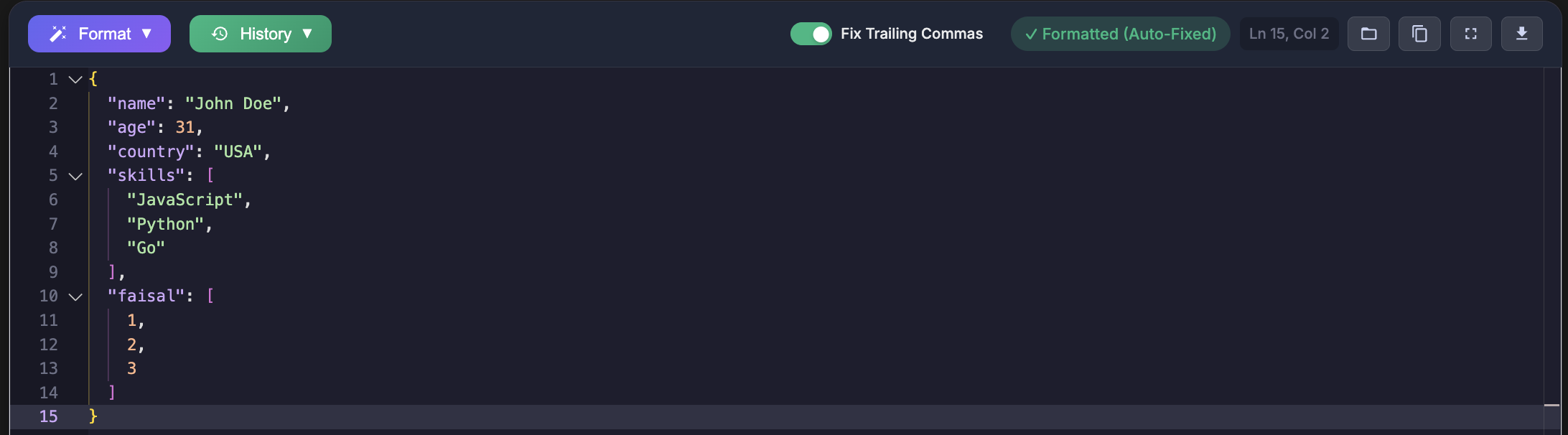
Paste your JSON in JsonFormattersPro it will auto remove trail commas from your json
It focuses on strict JSON compliance, not relaxed parsing.
Frequently Asked Questions
Why does JavaScript allow trailing commas but JSON does not?
JavaScript prioritizes developer convenience. JSON prioritizes cross-platform consistency.
Can trailing commas ever be safe in JSON?
No. Any parser that accepts them is being permissive, not compliant.
Should APIs accept trailing commas?
Strict APIs should reject them. Silent acceptance hides bugs.
Other Tools That Handle JSON Validation
Several tools help developers detect trailing comma issues:
- JSONLint
- Prettier (strict mode)
- VS Code JSON schema validation
- jq
Each has strengths. The key is using one consistently.
Final Thoughts
Trailing commas look small. They cause outsized damage.
Once you accept that JSON is not JavaScript, the frustration disappears. RFC 8259 becomes predictable. Validation becomes routine.
Fixing JSON trailing comma issues is not about memorizing rules. It is about respecting the contract that JSON was built on.
And yes, it still hurts when a single comma breaks a deployment. But it hurts a lot less when you catch it early.