JSON has quietly become the backbone of modern software. APIs return it, configuration files rely on it, and logs often hide critical details inside it. Over the years, while debugging broken API responses and fixing malformed payloads in production, one thing became clear to me very early. Reading raw JSON without a formatter is a waste of time.
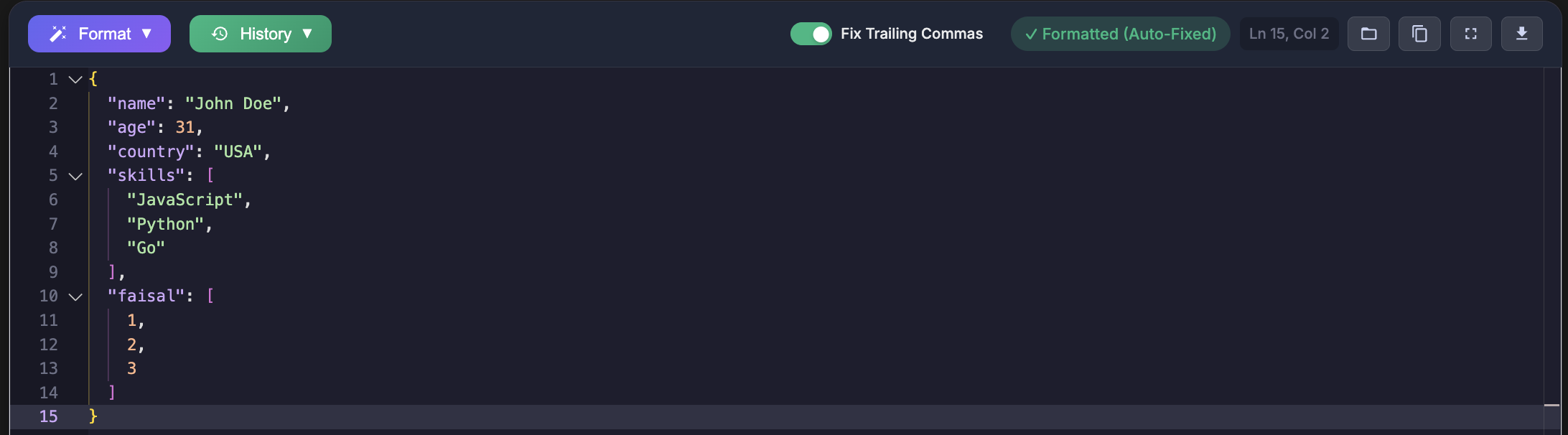
This guide covers the most reliable JSON formatter tools available in 2025. These are tools I have either used directly in real projects or evaluated while solving real data issues such as missing brackets, invalid commas, encoding problems, and deeply nested responses that were impossible to scan by eye.
Why a JSON Formatter Matters
Most JSON you encounter is not friendly. It is minified, generated by machines, or partially broken. A proper formatter saves hours by making problems obvious.
- Improves readability with clean indentation
- Validates JSON syntax and highlights errors
- Helps locate missing commas or brackets
- Converts JSON into YAML or XML when required
- Makes large nested structures understandable
One of the most common mistakes I see is developers pasting broken JSON directly into code without validating it first. This almost always leads to runtime errors that could have been avoided.
1. JSON Formatters Pro
JSON Formatters Pro has become my default choice when dealing with JSON issues. I have used it repeatedly while debugging API failures caused by invalid characters, truncated responses, and malformed arrays.
The biggest advantage is speed. You paste JSON, and errors are flagged immediately with line level precision. For serious debugging, this matters.
You can access it here: https://jsonformatterspro.com
{
  "tools": [
    "JSON Formatter",
    "JSON Validator",
    "Tree Viewer",
    "JSON to YAML",
    "JSON to XML",
    "Diff Viewer"
  ],
  "cost": "free",
  "useCase": "debugging and validation"
}
Why I Use It
- Instant detection of syntax errors
- Tree view for deeply nested objects
- Conversion tools for backend integration
- Handles large JSON payloads without freezing
I once tracked down a production bug caused by a single trailing comma. This tool highlighted it in seconds.
2. JSONLint
JSONLint is one of the oldest JSON validators still in use. It does one thing and does it well. Validation.
I often use it when I only need a quick yes or no answer to whether JSON is valid. It does not help much with large datasets or visualization, but it is dependable.
3. JSON Editor Online
This tool is useful when working with complex nested objects. The tree view allows you to collapse sections, which helps when scanning large API responses.
I have used it while integrating third party APIs where responses contained hundreds of nested keys.
4. Code Beautify JSON
Code Beautify is part of a larger toolbox. It works well for quick formatting tasks, but I avoid it for serious debugging because error messages can be vague.
5. JSON Viewer Chrome Extension
This extension shines when testing APIs directly in the browser. It automatically formats JSON responses instead of showing a single unreadable line.
const response = await fetch("https://api.example.com/data");
const data = await response.json();
console.log(JSON.stringify(data, null, 2));
This setup saved me many times when debugging headers and responses during frontend development.
6. Postman
Postman is primarily an API client, but its JSON formatting capabilities are solid. I rely on it when testing request payloads and verifying response structures.
Many API issues I have encountered were caused by sending invalid JSON in request bodies. Postman highlights these problems clearly.
7. VS Code with JSON Extensions
For developers who live inside their editor, VS Code offers excellent JSON support. Built in formatting combined with extensions like Prettier and JSON Tools covers most needs.
I often format and validate JSON locally before committing configuration files.
8. jq Command Line Tool
jq is extremely powerful if you are comfortable with the terminal. I use it in scripts and CI pipelines to filter and transform JSON automatically.
cat data.json | jq '.'
cat data.json | jq '.users[].name'
cat data.json | jq '.items | map(select(.price > 100))'
The biggest learning curve here is syntax. Once mastered, it becomes indispensable.
9. JSON Crack
JSON Crack visualizes JSON as graphs. It is especially useful for understanding relationships between objects.
I have used it when onboarding new developers to explain complex data models.
10. JSON Formatter by Curious Concept
This formatter is fast and stable, especially with large files. It lacks advanced features but handles the basics reliably.
Comparison Overview
| Tool | Validation | Tree View | Conversion | Free |
|---|---|---|---|---|
| JSON Formatters Pro | Yes | Yes | Yes | Yes |
| JSONLint | Yes | No | No | Yes |
| JSON Editor Online | Yes | Yes | No | Yes |
Practical Tips from Real Projects
Always validate JSON before storing or transmitting it. Many bugs I have fixed came from assuming upstream data was correct.
import json

data = {"name": "John", "age": 30}
formatted = json.dumps(data, indent=4, sort_keys=True)
print(formatted)

json.loads(formatted)
If validation fails, paste the payload into jsonformatterspro.com and fix the issue before moving forward.
Conclusion
A reliable JSON formatter is not optional anymore. It is a daily development tool. After years of debugging APIs, configuration files, and data pipelines, JSON Formatters Pro stands out for accuracy, performance, and ease of use.
If you regularly work with JSON and want faster debugging with fewer errors, start using it today at https://jsonformatterspro.com.